
Bindwell
Turn your Word manuscript into a print-ready book.
Download freeFor Mac, Windows and Linux
Three steps to a finished book
Open your Word file
Bindwell reads your .docx manuscript, finds the chapters and keeps your italics, scene breaks and pictures.
Choose how it looks
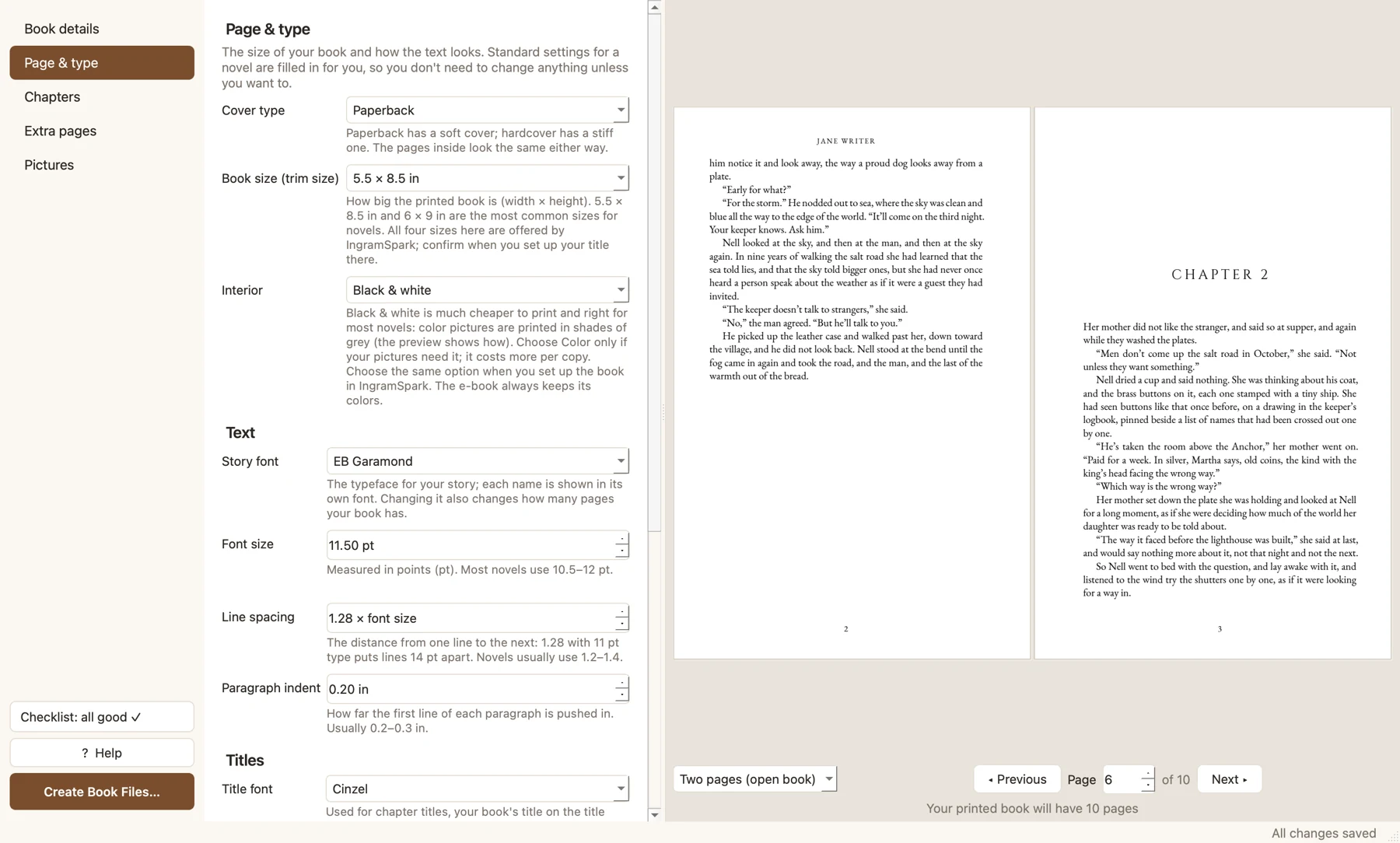
Pick a book size and a font. The preview shows your real printed pages, two at a time, and updates as you go.
Create your book files
Get a print PDF ready to upload to IngramSpark, and an EPUB e-book for online bookstores.
Everything a novel needs
Print-ready PDF
Made to IngramSpark's file requirements: correct trim size, margins that grow with your page count, embedded fonts, and full bleed for edge-to-edge pictures.
An e-book too
An EPUB that passes the industry's standard checker, with your fonts, contents and pictures.
Proper book pages
Title page, copyright page, dedication, contents, and chapters that start where a reader expects, with running heads and page numbers.
Eleven book fonts
Classic typefaces chosen for novels, plus title fonts for chapter headings, all free to use in books you sell.
Pictures and decorations
Pictures in the text, full-page illustrations, and your own ornaments for chapter openings and scene breaks.
Checked before you upload
A checklist warns you, in plain words, about anything a printer would reject.
Bindwell works offline. Your manuscript never leaves your computer.
Download Bindwell
Free · Version 0.1.0
Which Mac do I have?
Click the Apple menu in the top-left corner of the screen and choose About This Mac. “Chip: Apple M1” (or M2, M3…) means Apple chip; “Processor: … Intel” means Intel chip.
Installing on a Mac
Open the .dmg file you downloaded and drag Bindwell onto the Applications folder.
Installing on Windows
Open the -setup.exe file. If Windows shows “Windows protected your PC”, click More info, then Run anyway; Windows shows this for new apps from small makers. No administrator password is needed.
Installing on Linux
Right-click the .AppImage file, choose Properties, turn on Allow executing file as program, then double-click it.
Questions
Is it really free? Yes, for as many books as you like, including books you sell. A paid version with extra features is planned; the free version will stay free.
Do I have to use IngramSpark? No. The PDF follows IngramSpark's requirements, which are similar to most print-on-demand services; check each service's requirements before uploading.
Does it make my cover? Not yet. Your printer gives you a cover template sized for your page count, and Bindwell tells you the page count.
My manuscript is in Google Docs or Pages. Download or export it as a Word document (.docx) first.
IngramSpark is a trademark of Ingram Content Group LLC. Microsoft Word is a trademark of Microsoft Corporation. Bindwell is not affiliated with or endorsed by either company.